Natural Dating Photos: A Checklist
Review natural dating photos for lighting, expression, skin texture, and visual inconsistencies. Learn what to check in camera photos and AI outputs.
 DatingAppPhoto Editorial Team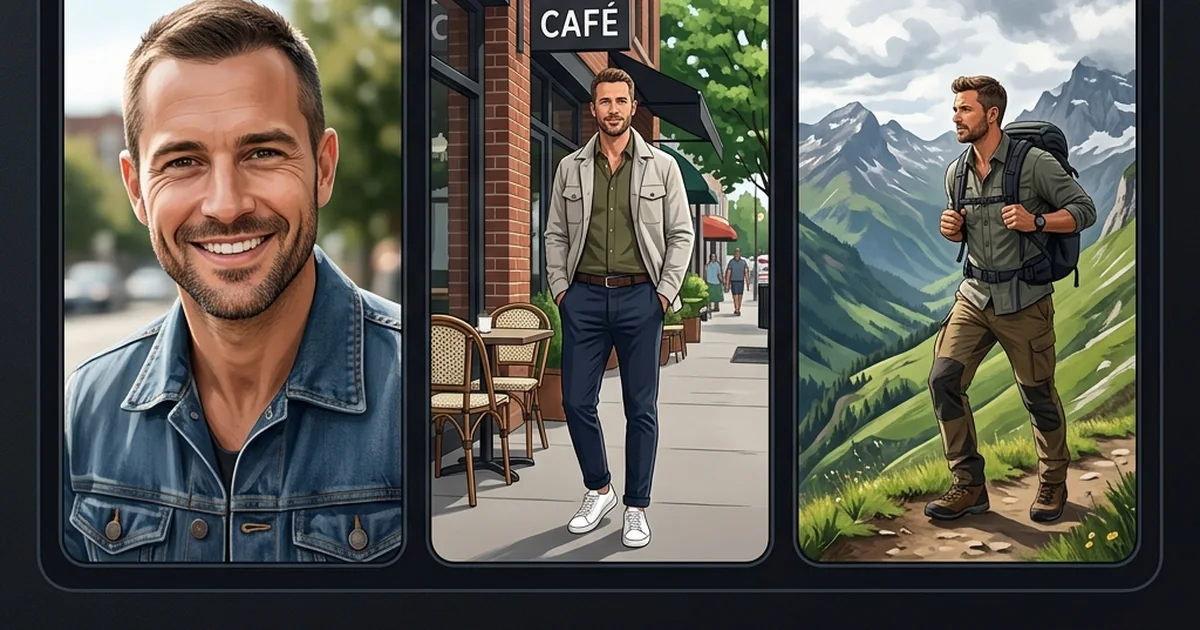
Natural dating photos should look like a recognizable version of you, in a scene that is easy to understand. They can be posed, professionally photographed, or taken on a phone. “Natural” describes the presentation; it does not tell you how the image was made.
This guide helps you check visible issues before adding a photo to your profile. It cannot prove that an image is authentic, that a pictured event happened, or that a person is trustworthy. A convincing AI image can still depict an invented scene.
What to look for at a glance
Start by viewing the picture at the size someone will see in the app. Then enlarge it to inspect details. A small imperfection that disappears at profile size may matter less than a crop that hides your face.
The comparisons below are review prompts, not a method for detecting AI. Studio lighting, a sharp background, smooth skin, or a carefully arranged pose can all occur in ordinary camera photos.
On a narrow screen, scroll the table sideways to see all columns. Keyboard users can focus the table area and use the arrow keys.
| What to review | A useful sign | A reason to take another look |
|---|---|---|
| Face | Recognizable features that match your current appearance. | A changed face shape or details you do not recognize. |
| Expression | An expression you can hold comfortably. | A strained pose that distracts from your face. |
| Skin and light | Enough detail to see your features clearly. | Heavy smoothing, unusual color patches, or lost facial detail. |
| Hands and clothing | Shapes and edges that make sense when enlarged. | Merged fingers, broken seams, or accessories that change shape. |
| Background | A scene that supports the photo without taking over. | Warped objects or edges that blend into your body. |
| Context | A scene you can describe honestly. | An image that implies an experience you have not had. |
Eight checks before you use a photo
- Resemblance: Compare the image with how you look now. Check face shape, hair, facial hair, and any details a person would notice when meeting you. A flattering image is less useful if it no longer looks like you.
- Expression: Look for tension in your mouth, eyes, or shoulders. Try another frame if the expression feels forced. There is no single smile or pose everyone needs to use.
- Light: Make sure the important features are visible. Harsh light or deep shadow is not proof of a fake image; it may simply be a reason to choose a different shot.
- Skin texture: Check whether editing has removed too much detail or created inconsistent patches. Do not treat blemishes or normal skin texture as defects that must be erased.
- Hands and objects: Inspect fingers, glasses, cups, straps, and anything close to your face. Blurred movement can also distort a camera photo, so compare with the original when you have it.
- Clothing and edges: Look for seams that stop unexpectedly, a collar that merges with skin, or a background cutting into your body. In a generated image, these can be reasons to reject that candidate.
- Background: Check signs, furniture, reflections, and straight lines. A busy scene can distract even when nothing is technically wrong.
- The story the photo tells: Ask whether the picture implies a real trip, hobby, possession, or event. Visual realism does not make that implication true.
There is no validated number of failed checks that makes a photo unusable. Prioritize recognizable appearance and misleading details. A minor background issue and a substantially altered face deserve different decisions.
Choose variety without staging a different life
A useful set might include a clear portrait, an everyday scene, a wider view, and an activity. These photos do not all need different locations or outfits. They need to add information rather than repeat the same image.
A professional headshot can be your lead photo if it represents you well. A less polished hobby picture can be useful later because it shows something you enjoy. Neither style automatically produces more matches.
If you need a new camera photo, our guide to taking dating profile pictures gives you a phone setup to try. The photo selection checklist helps you decide which role each picture should fill.
Review AI results before using them
The AI dating photo generator creates candidates from your reference photos. Start with 1–2 clear images and add up to 5 if they provide useful angles or lighting variety. Results vary, including resemblance and visual quality. Processing time varies.
Review each output, not just the one that looks strongest as a thumbnail. An attractive face or believable location is not enough if the person no longer resembles you or the image suggests an experience you did not have. Reject misleading results, check the dating app's current rules, and do not assume that a natural-looking image is automatically acceptable there.
Check your app's current photo rules
Read the current rules before uploading an edited or generated image. Hinge prohibits AI-generated content used to mislead people. Bumble requires a clear solo face photo and prohibits digital effects that make you unrecognizable. Tinder requires honest self-representation and prohibits misleading content.
These rules do not give blanket approval to AI photos. A natural-looking result may still misrepresent your appearance or an experience, and DatingAppPhoto cannot guarantee that an app will accept or verify it. Keep a current camera photo available and choose images you can describe honestly.
Rules checked October 5, 2026. Recheck the official pages before uploading.
You can review photo packs and pricing before deciding whether you want to generate new options. If a better-lit camera photo would solve the problem, a reshoot may be all you need.
Get another view on one photo
The dating photo score offers AI feedback on clarity, framing, and the image's possible role in your profile. There is one free score in total per eligible account; additional reviews need available paid scoring credits.
This feedback is not an authenticity check or a prediction of dating success. Use it to notice specific details, then decide whether to keep the picture, adjust the crop, or take another shot.
For example photo sequences, see the Tinder, Bumble, and Hinge guides. Their layouts are starting points to adapt to your own photos and the options available in your app.