Best Dating Photos for Guys: The Ultimate Vibe & Quality Checklist
A dating profile is only as strong as its weakest photo. Learn how to select, arrange, and optimize the best dating photos for guys to build trust and improve your chances.
 DatingAppPhoto Editorial Team
The best dating photos for guys make it easy to see what you look like and give someone a few details about your life. Start with a recent, clear portrait, then add photos that show something different: your usual style, an interest, or an activity you enjoy.
You do not need a gallery of professional shots. A useful profile can include a carefully framed portrait and a less polished photo with a good story behind it. The question is what each picture adds, not whether every picture meets the same formula.
Choose a set with different jobs
Give each photo a job before you add it to your profile. This quick comparison helps you spot a missing role or a picture that repeats one you already have.
| Photo role | What to check | What to avoid |
|---|---|---|
| Lead photo | A recent, clear view of your face and a relaxed expression. | A group shot, hidden eyes, or a face too small to recognize at app size. |
| Everyday activity | Something you enjoy doing, with enough context to understand the scene. | A staged hobby or lifestyle you would feel awkward explaining. |
| Full-body or wider view | A natural stance, everyday clothes, and a crop that still shows you. | A distant figure, extreme crop, or distorted camera angle. |
| Interest or social context | A detail that adds information about your life. | Several near-identical images that repeat the same role. |
A chest-up portrait is a useful lead-photo starting point. Check its sharpness and light at the size someone will see in the app. A supporting activity photo can show more of the scene, but it should not have to do the lead photo's job of showing your face clearly.
A practical photo checklist
Review each candidate against these five questions. They are editing prompts, not a pass-or-fail test of your appearance.
- Can someone recognize me? Look for a clear face in the lead image and an appearance close to how you look now.
- Is the light useful? Check whether you can see your eyes and facial detail without heavy brightening or smoothing.
- Does this add something new? Several nearly identical selfies use space without introducing another part of your life.
- Does the scene fit me? Avoid presenting a generated location, borrowed pet, or staged activity as proof of a real experience.
- Does the crop work? Inspect the image at profile size, not only enlarged in your camera roll.
A photo that misses one point does not automatically need deleting. A slightly blurry picture of a meaningful activity might work later in the set. It is a weaker choice for the lead image if no other photo shows your face clearly.
Arrange the photos and review the sequence
Begin with the clearest portrait. Follow it with a scene or activity, then a wider view. Use the remaining space for genuinely different details rather than another version of the first shot.
Read the set alongside your written profile. If the text mentions cooking, a real kitchen photo gives that detail context. If every photo comes from the same trip, add something more representative of your day-to-day life.
For platform-specific examples, see our Tinder photo guide, Bumble photo guide, or Hinge photo guide. These are suggested layouts, not proven formulas for more matches.
A worked example: choose three photos from four candidates
These AI-generated images come from our public examples. The choices below illustrate an editorial review, not a customer result, a live photo score, or evidence of more matches. Use photos that reflect your real appearance and activities.
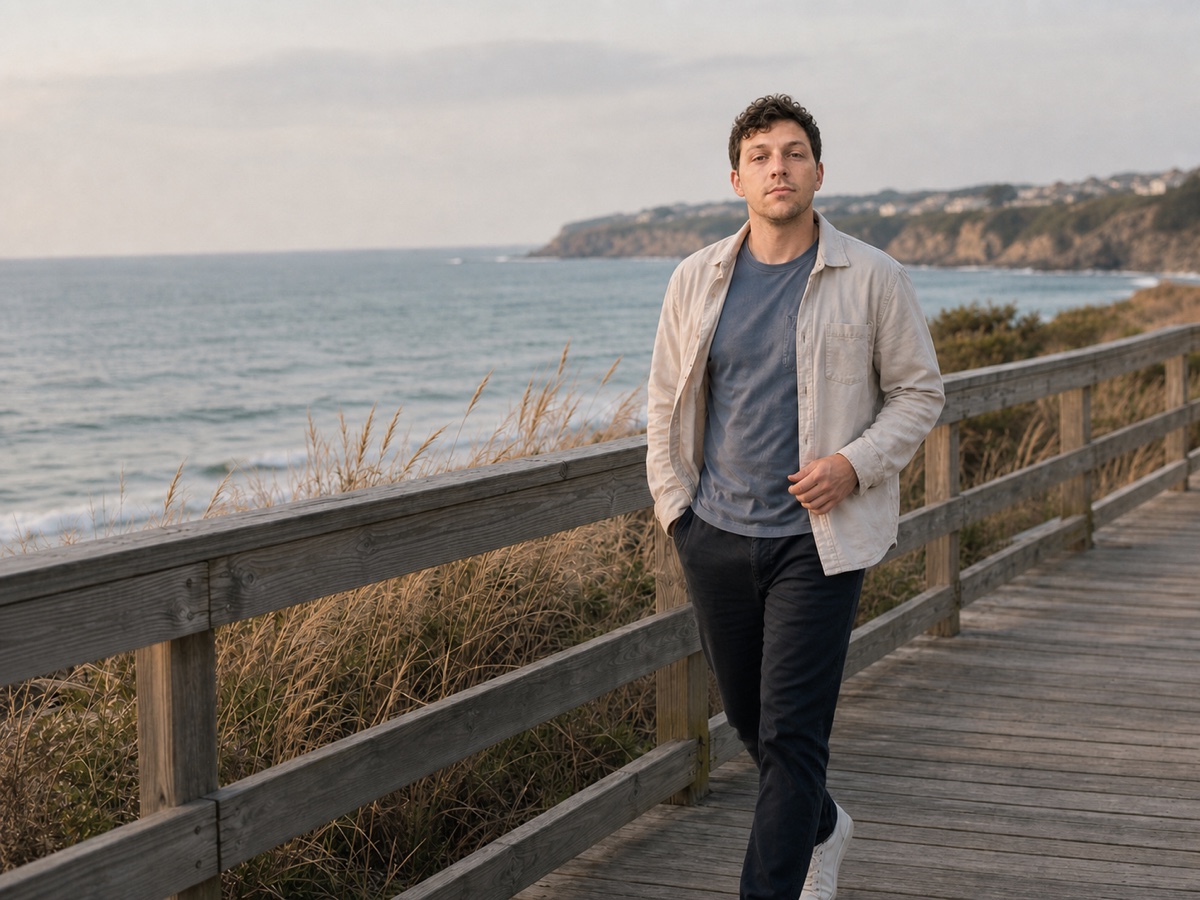
A: Start with a recognizable introduction
AI-generated example · Lead-photo candidate
This candidate shows one person facing forward without another face competing for attention. Check the face at normal profile size before choosing it as the lead. A tighter crop may help if it preserves useful detail.

B: Add an activity photo
AI-generated example · Activity-support candidate
The cooking scene shows an activity, but the downward gaze makes it less useful for introducing the face. In your own profile, use an activity photo only if it represents something you do.

C: Save social context for later
AI-generated example · Later supporting photo
Other people help explain a scene, but they can make a first photo harder to read. In your own photos, check that viewers can tell which person is you and that you have the other people's permission to use the image.
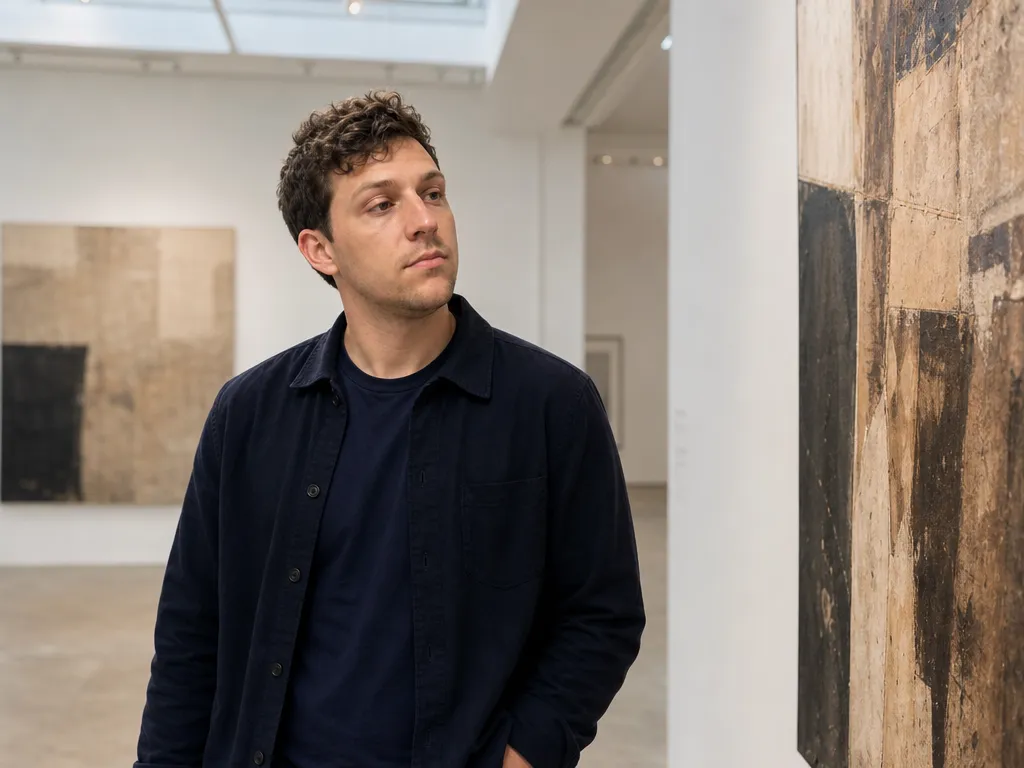
D: Choose an alternative, not an extra by default
AI-generated example · Optional alternative
A gallery setting can replace another supporting image if it says something true and different about you. Leave it out when it adds no information beyond the other candidates.
Illustrative sequence: A → B → C, with D as an alternative if it better reflects you. This is an editing example, not a fixed number of photos or a formula for matches. You can make these choices with the checklist above, without using a photo tool.
When you are unsure which photo to use
Start with your current lead photo. If you are unsure about its light, framing, or place in the set, check one dating photo for AI feedback. Use the comments to decide whether to keep it, retake it, or create another option. There is one free score in total per eligible account; reviewing more photos requires available paid scoring credits. Check current packs and included scores before planning a comparison.
The score is AI feedback on the image, not a measure of your attractiveness or a prediction of matches. Compare its comments with what you can actually see.
Check the photo tools already in your app
Your dating app may offer a different kind of help with existing photos. Tinder's Photo Selector shortlists pictures from your camera roll; you decide which to upload. Bumble is testing optional photo feedback, so the option and suggestions may differ between accounts. Hinge describes Top Photo for ordering photos already on your profile. Check what is available in your own account.
These options do different jobs: finding candidates, giving feedback, or ordering a set. DatingAppPhoto's score reviews one image at a time; it does not scan your camera roll or automatically select your best photo. Use any feedback alongside the photo checklist, and make the final choice yourself.
Sources checked October 5, 2026. Availability and app features may change.
If your gallery is missing a useful photo
If dim light or camera position is the problem, follow the DIY photo guide and retake the picture. The natural dating photos checklist can help you review edits without treating appearance as proof that an image is authentic.
If your set lacks a useful scene or photo role, explore the AI dating photo generator. Start with 1–2 clear reference photos; add up to 5 if they provide useful variety. Results vary, and generated photos can change facial details or introduce visual mistakes. Processing time varies. Review the result for resemblance, hands, clothing, and background before using it, and check the dating app's current rules for edited or generated photos.