
AI Dating App Photo Generator
AI Dating App Photo Generator
Create dating profile photo options from your own pictures. Try a new setting or fill a gap in your profile, then choose the results that look and feel like you.
See photo examplesSelect Photos
Drag & drop or click to upload
JPG/PNG/WebP, max 10MB. Upload 1-2 clear photos to start; up to 5 optional.
Your photos are processed privately. Save the results you want to My Photos within 24 hours to keep them until you delete them. Older fixed packages keep their original access terms.
Shape your photo direction
Tell us how you want to present yourself. We'll use your preferences to plan the photo settings.
What's your age range?
From a reference photo to new settings
Compare the reference with two AI-generated results. Look at the face as well as the lighting, clothes, and setting.
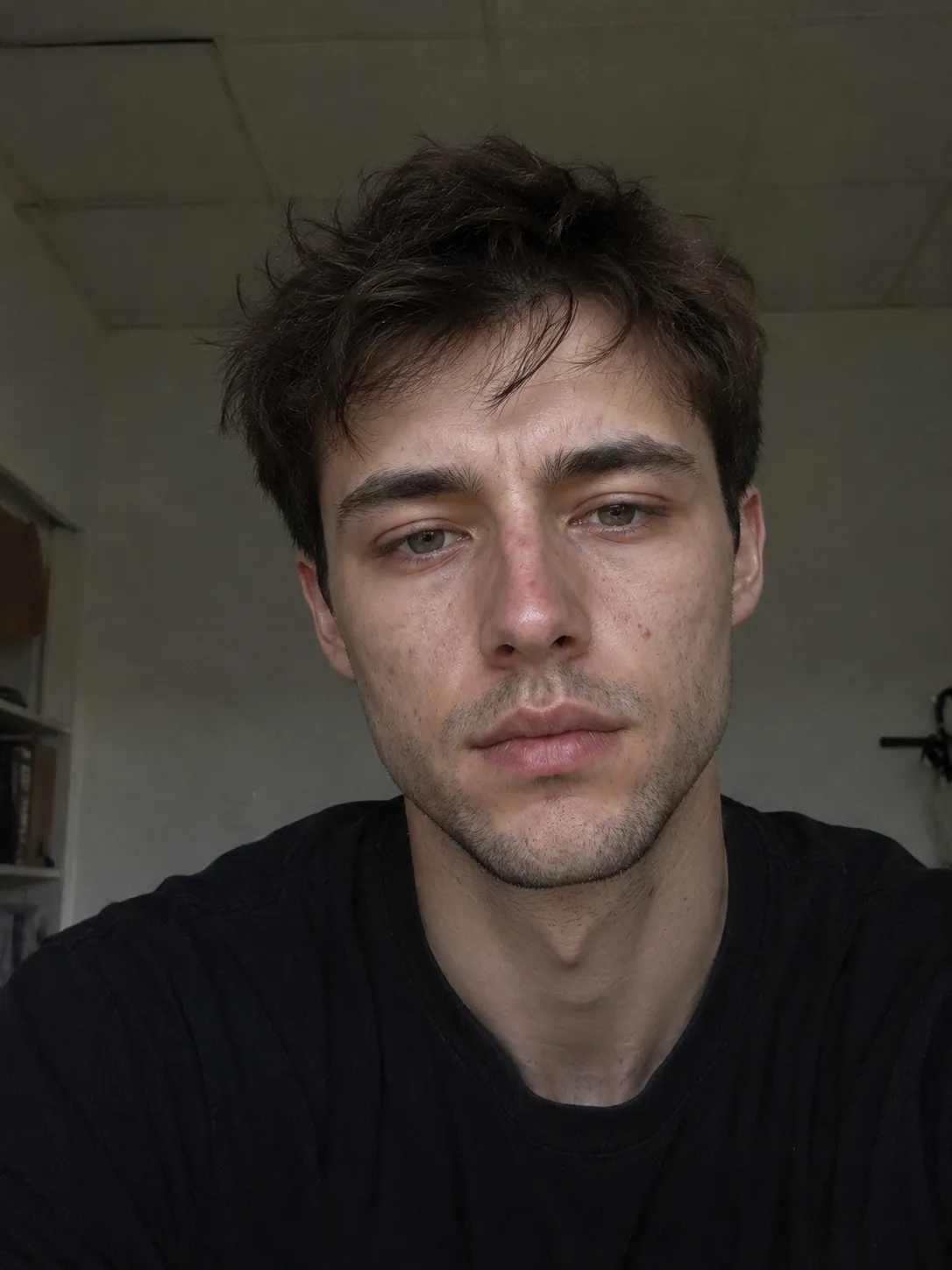
Reference photo
The starting photo for this example.

AI result · Outdoor portrait
A street setting with daylight and a wider view.
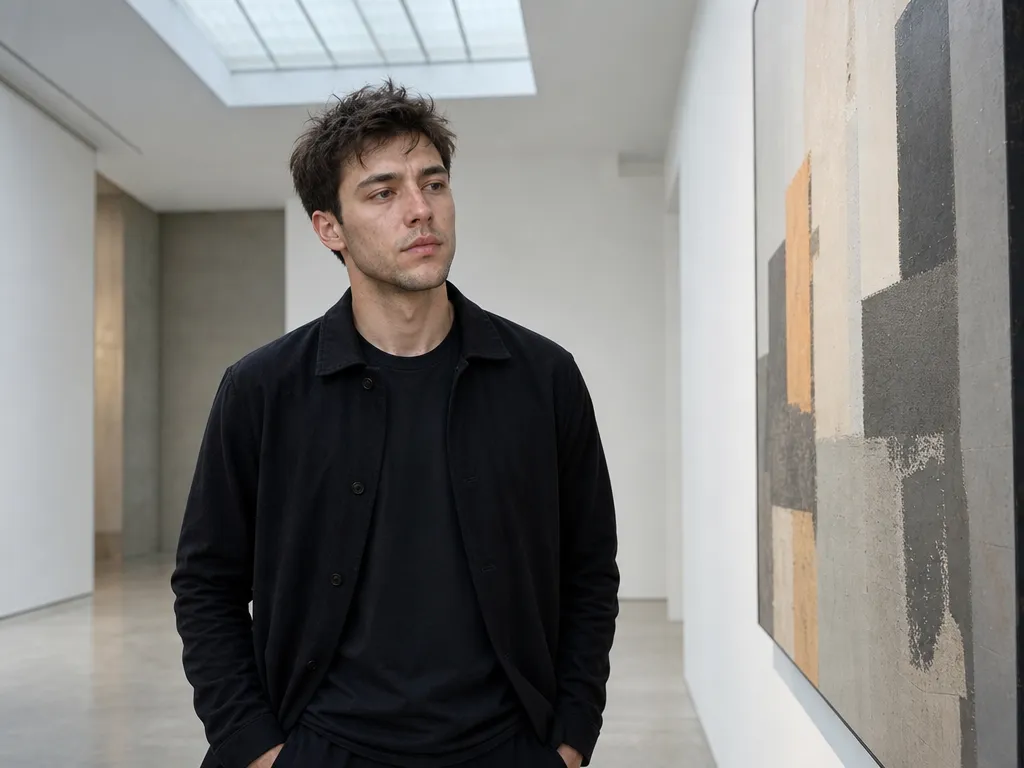
AI result · Gallery setting
An indoor setting with more space around the subject.
These are selected results generated with DatingAppPhoto, shown with permission. Results vary with your photos and generation settings; this example does not guarantee a likeness or outcome.
Choose photos that represent you
Check facial details and skin texture before using a result. Skip photos that change your appearance or suggest activities that do not reflect your life. Follow your dating app's photo rules.
Create AI Photos for Dating Apps
Upload Your Photos
Upload 1-2 clear everyday photos in decent lighting to start. Add up to 5 only if they improve angle and lighting variety.
Pick Your Vibe
Coffee shop casual? Outdoor active? Smart evening look? Choose the directions that match your personality.
Review and Save Your Photos
Generate 1, 3, 6, or 12 photos when you need them. Only successfully delivered photos use credits. Review results within 24 hours and save the ones you want to My Photos.
How to Choose Photos for Better AI Dating Results
Your source photos shape every generated result. Clear, recent pictures give the generator a better reference for your face, expression, and everyday appearance.
- 1
Start With a Clear Face Photo
Choose a recent photo with even lighting and a clear view of your face. Look toward the camera, keep your natural features visible, and use the highest-resolution image available.
- 2
Add Useful Angle and Lighting Variety
One or two clear photos are enough to begin. If you add more, choose pictures that provide genuinely different angles, expressions, or lighting instead of several nearly identical selfies.
- 3
Avoid Filters and Obstructions
Skip heavy beauty filters, sunglasses, group photos, dark screenshots, and images where hair, hands, or objects cover much of your face. Cleaner references generally produce more consistent results.
AI Dating Photos Should Still Look Like You
A stronger dating profile does not need a completely different face or an unbelievable lifestyle. The most useful results are recognizable, natural, and consistent with how you appear in person.
Keep Your Appearance Recognizable
The generator is designed to use your own reference photos while improving elements such as lighting, composition, clothing, and background. Review every result and choose the images that feel most like your current appearance.
Build a Believable Profile
Use a clear portrait as your first image, then add photos with different settings, activities, and framing. A varied set usually tells more about you than several close-up portraits that look almost identical.
Choose Natural Results Over Perfect Results
The most polished image is not always the best dating photo. Prefer pictures with believable expressions, familiar features, and settings that match your real interests and lifestyle.
Choose Scenes That Match Your Real Life
Warm, relaxed portraits that feel natural and approachable.
Daylight shots that show an active, healthy, energetic lifestyle.
Clean, polished looks that show you can dress well without trying too hard.
A real activity gives the photo a purpose and gives someone an easy question to ask.
A candid conversation shows ease with other people while the subject stays easy to identify.
A quieter setting can signal taste and curiosity without repeating the same portrait formula.
Your Privacy Matters
Your photos are transmitted securely and never displayed in public galleries.
Save the results you want to My Photos within 24 hours. Saved photos stay private until you delete them. Older fixed packages keep their original access terms.
Secure one-time payment. No recurring charges.
Upload photos of yourself that you have the right to use. We use them as references for generation.
Compare Packages
| Package | Photo credits | Re-scores | Use | Credit expiry | Price |
|---|---|---|---|---|---|
Photo Fix | 6 | 2 | Single or batch | Never | $9.99 |
Profile RefreshRecommended | 24 | 6 | Single or batch | Never | $19.99 |
Photo Studio | 60 | 12 | Single or batch | Never | $29.99 |
Each delivered photo uses one photo credit. Failed photos do not use photo credits. This is separate from a refund of your payment. Batch size depends on your available balance.
FAQ
Ready to Create Your Dating Photos?
Upload 1–5 clear photos, choose your direction, and create a profile-ready set that still feels like you.
Start With My Photos